Budget Calculator Help & Instructions
Step 1
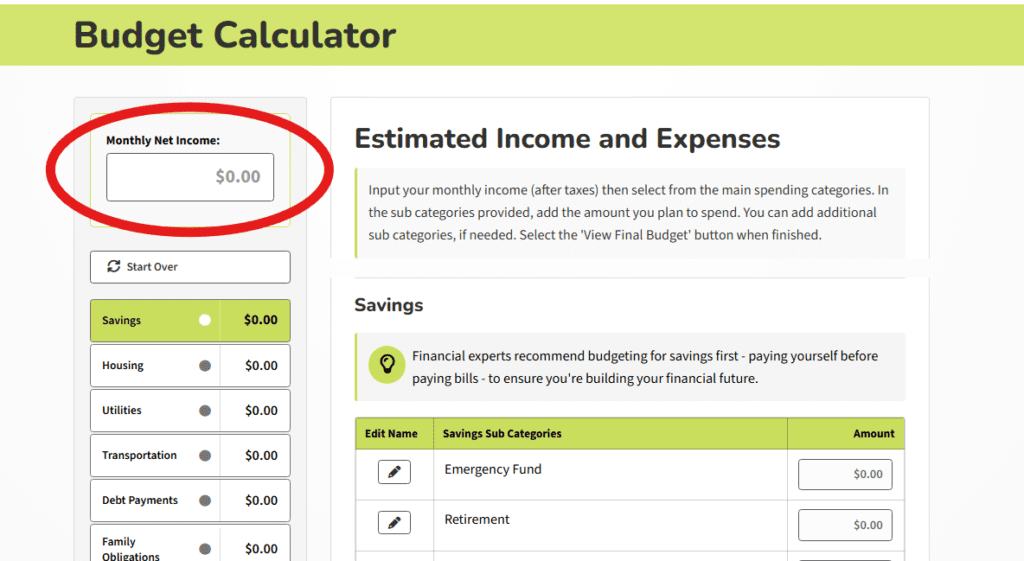
Enter your monthly income after taxes in the top input field labeled Monthly Income.
Step 2
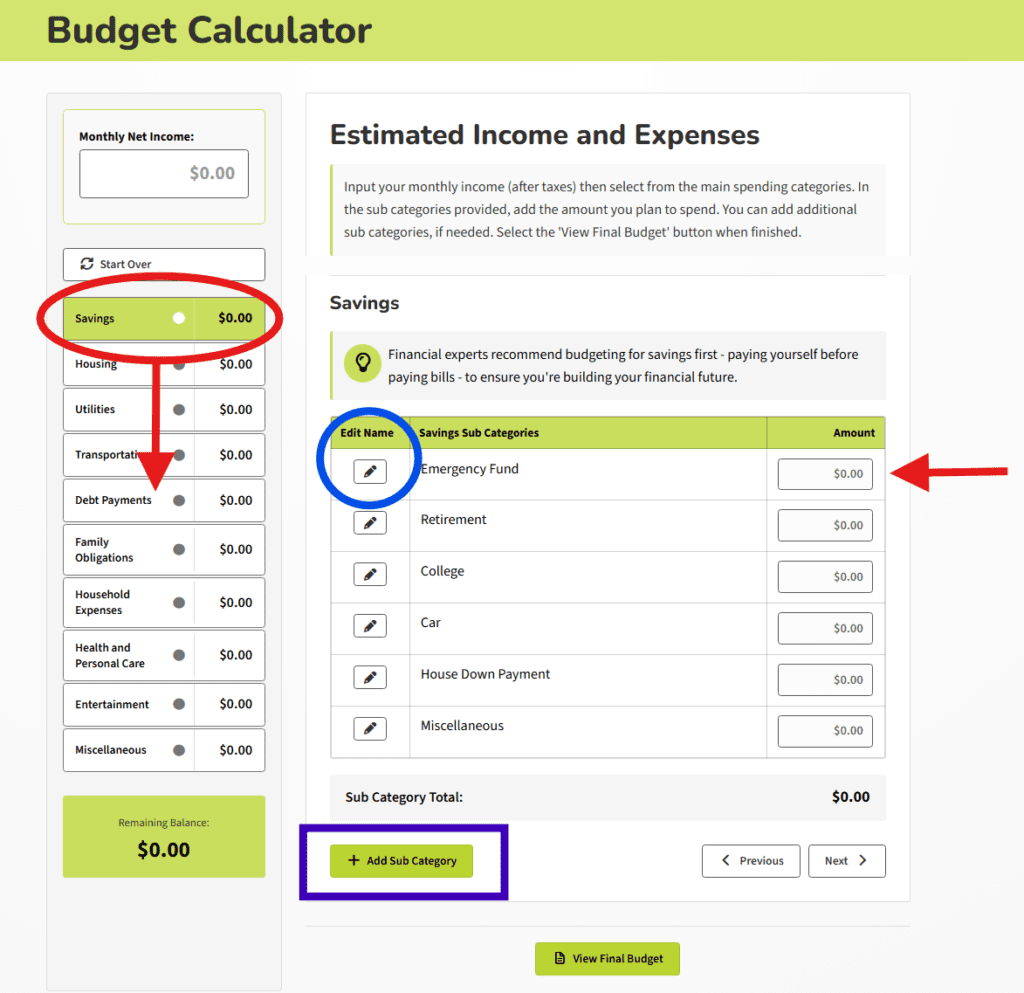
Enter your monthly spending in each main category - Savings, Housing, Utilities, etc. You don’t have to use all the categories provided and you can rename sub categories to better fit your situation using the Edit Name - pencil icon button.
Use the [+ Add Sub Category] button at the bottom to add a new spending field.
Step 3
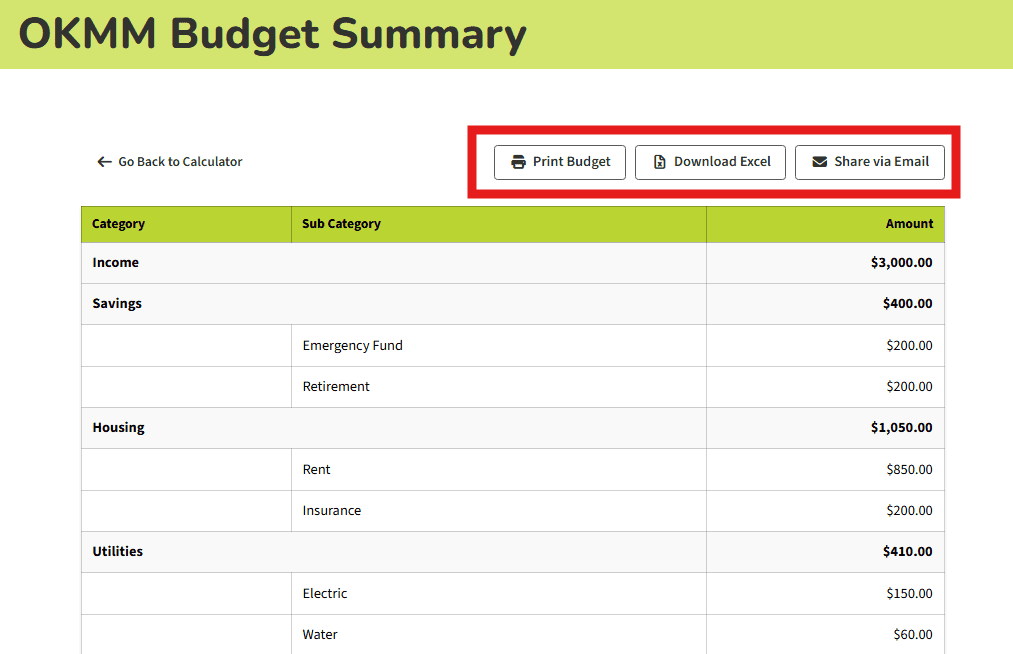
Once you’ve entered all your expenses, click the [View Final Budget] button to view your budget summary worksheet. Use the [Print Budget] button to print your budget or the [ Export to Excel] button to save an Excel version of your budget to your computer. Use [Share via Email] to recommend the calculator to a friend.